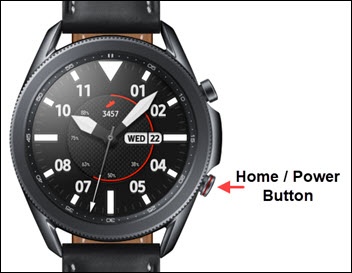
Samsung Galaxy Watch3 - Turn GPS Location On / Off
GPS location access is needed by some apps on your Galaxy Watch3 to share your location, but can be turned off to save battery life.
From your Android™ or Apple® iPhone®, ensure your Galaxy Watch3 software is up to date as the steps below apply to the most recent version.
- From the watch screen, press theHome buttonto open the apps screen.
- Tap theSettings icon
.
- TapLocation.
- Tap theLocation switchto turn on or off.
- If necessary, review the usage agreement then tap thecheckmark icon.
- If necessary, review the legal notice then tap thecheckmark icon.
- With Location on, select any of the following methods:
- GPS, Wi-Fi, and mobile networks
- Wi-Fi and mobile networks
- GPS