Verizon Orbic Speed - Configure DHCP
Here's how to configure DHCP settings on your Orbic Speed.
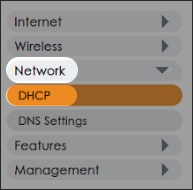
- From the left menu, clickNetwork>DHCP.
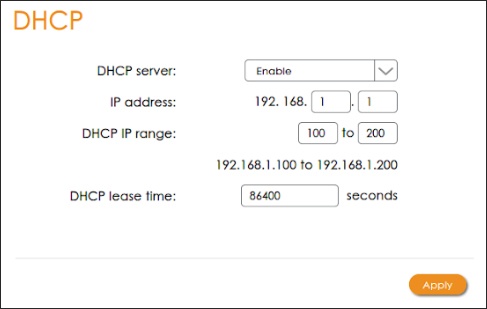
- From the 'DHCP' section, configure DHCP settings then clickApply.
| Session Status |
|---|
|
Due to inactivity, your session will end in approximately 2 minutes. Extend your session by clicking OK below. Due to inactivity, your session has expired. Please sign in again to continue. |