Inseego MiFi 2100 5G UW - View SIM Card Number
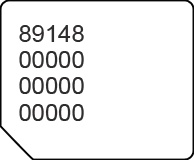
Here's how to view the SIM card number associated with your MiFi 2100 5G UW.
- Access the Admin Web Interface.
- From the About section, click theNavigation arrow
(lower-right) to open the About page.
- ClickDiagnostics.
- From the Modem section, view the 20-digit ICCID.
You can also remove the SIM card on your Inseego MiFi® 2100 5G UW and view the 20-digit SIM card number (with the gold contacts facing away).