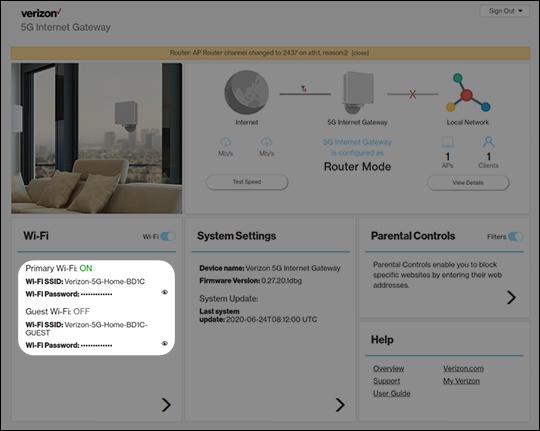
Verizon 5G Internet Gateway (LVSKIHP) View Wi-Fi Name and Password
Verizon 5G Internet Gateway (LVSKIHP)
View Wi-Fi Name and PasswordFollow these steps to find the Wi-Fi network name (SSID) and password for your 5G Internet Gateway (LVSKIHP) so you can share your internet connection with other devices.
Before you begin
The default SSID and Wi-Fi password are printed on the external label.
If the Admin password is changed and/or forgotten, restore the device to default settings and connect using the credentials printed on the external label.
Steps
- Sign in to the Admin WebGUI.
- From the Router Home screen, locate the Wi-Fi section and view the following:
- Wi-Fi name (SSID)
- Wi-Fi PasswordClick theView iconto display the current password.