Fossil Gen 5 LTE Smartwatch - Remove Gmail Account
Removing a Google™ (Gmail™) account from your Fossil Gen 5 LTE Smartwatch can be helpful when switching accounts, troubleshooting login or email sync issues, or ensuring your data stays private.
Ensure your Fossil Gen 5 LTE Smartwatch software is up to date as the steps below apply to the most recent version.
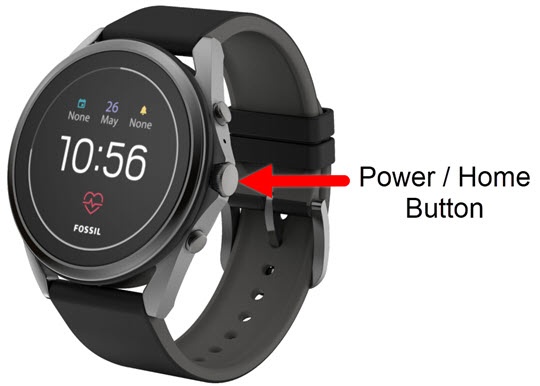
- From the watch screen, press thePower /Home buttonto open the apps screen.
- Tap theSettings icon
.
- TapPersonalizationthen tapAccounts.
- Tap the Gmail account you want to remove, then tapRemove account.
- From the 'Remove...Gmail.com account from watch?' screen, tap theDone icon
to confirm.
To cancel, tap theCancel icon.