Fossil Gen 5 LTE Smartwatch - Turn App Permissions On / Off
Here's how to turn permissions for installed apps on your Fossil Gen 5 LTE Smartwatch on or off.
Turning off certain permissions may result in basic features no longer working as intended.
Ensure the software on your Fossil Gen 5 LTE Smartwatch is up to date as the steps below apply to the most recent version.
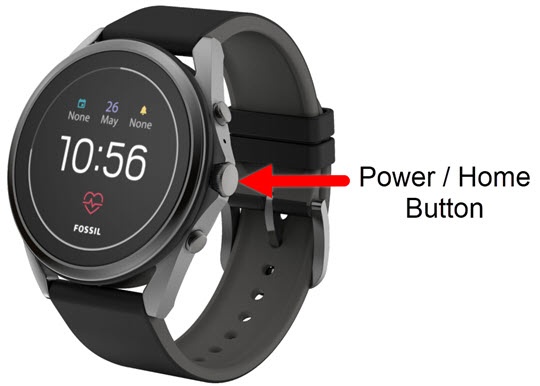
- From the watch screen, press thePower /Home buttonto open the apps screen.
- Navigate:Settings
>
Apps & notifications>App Permissions. - Tap the appropriate app.
- Tap available permissions (e.g., Contacts, Location, Storage, etc.) to turn on
or off
.
If prompted, 'If you deny this permission,...' screen tap 'Cancel' or 'Deny anyway'.