Fossil Gen 5 LTE Smartwatch - View Contacts
Here's how to view contacts on your Fossil Gen 5 LTE Smartwatch.
Ensure the software on your Fossil Gen 5 LTE Smartwatch is up to date as the steps below apply to the most recent version.
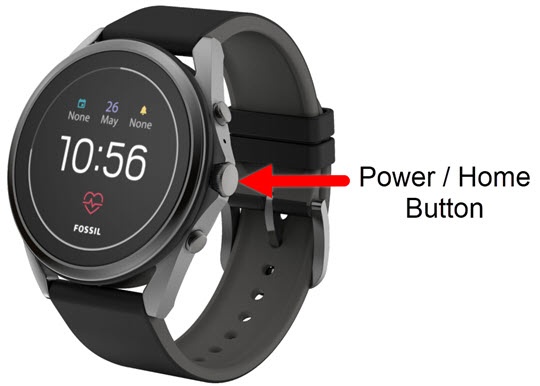
- From the watch screen, press thePower /Home buttonto open the apps screen.
- TapContacts
.
- Tap theSearch icon
then choose one of the following icons:
Alternatively, swipe up or down through the contact list.- Speak the name of the contact then tap the
Confirm icon.
- Type the name of the contact then tap the
Search icon.