Smart Wrist by Orbic - Turn App Permissions On / Off
Here's how to turn permissions for installed apps on your Smart Wrist on or off.
Turning off certain permissions may result in basic features no longer working as intended.
Ensure the software on your Smart Wrist™ by Orbic® is up to date as the steps below apply to the most recent version.
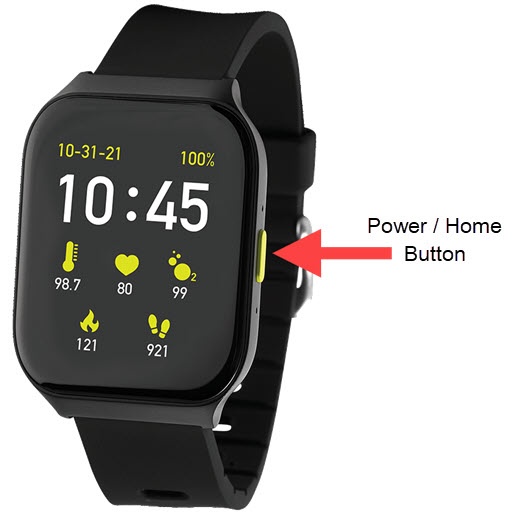
- From the watch screen, press thePower / Home buttonto open the apps screen.
- Navigate:.SettingsApps Manager
- Tap the appropriate app.
- TapPermissions.May require scrolling down on the screen and may not be available for apps that do not require permissions.
- Tap available permissions (e.g., Contacts, Location, Storage, etc.) to turn on
or off
.
If prompted, 'If you deny this permission,...' screen tap 'Cancel' or 'Deny anyway'.