Airspeed Mobile Hotspot - View Device ID
Here's how to find the device ID (IMEI) for your Airspeed Mobile Hotspot.
Follow these steps to view the IMEI for your Airspeed Mobile Hotspot online via My Verizon.
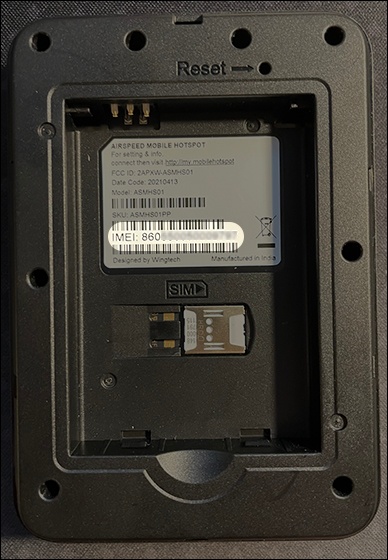
Via Device Label
- Remove the battery then view the IMEI on the sticker below the bar code.
Via Device Display
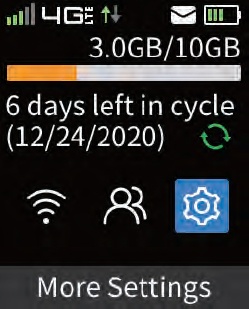
- Press thePower button(top right) to turn on the display.
- Press theMenu button(top left) to navigate to the gear icon then press thePower button.
- Press thePower buttonon 'Device Info' to view the IMEI.

Via Admin Web Interface
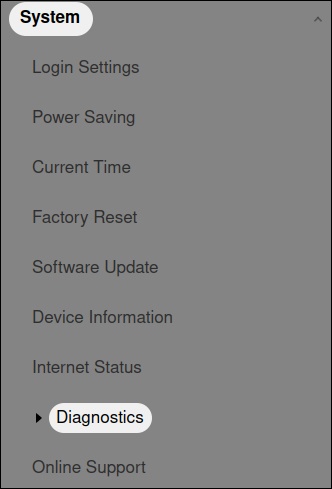
- Access the Admin Web Interface.
- From the left menu, click .
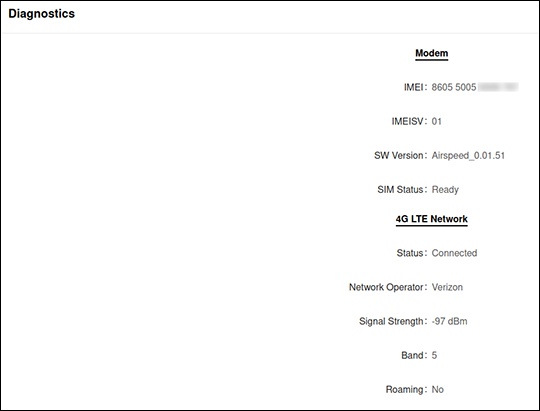
- From the 'Diagnostics' section, view the IMEI.