Airspeed Mobile Hotspot - View SIM Card Number
Here's how to view the SIM card number for your Airspeed Mobile Hotspot.
Via Admin Web Interface
- Access the Admin Web Interface.
- From the left menu, click .
- From the 'Device Information' section, view the 20-digit ICCID.


Via SIM Card
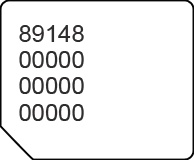
- Remove the SIM card then view the 20-digit SIM card number (with the gold contacts facing away).