Inseego MiFi X PRO 5G UW - Manage Alerts / Notifications
Here's how to change notification sounds for incoming messages / notifications on your Inseego MiFi X PRO 5G UW.
To turn audio alerts (e.g., low battery, charging complete, etc.) on or off for your Inseego MiFi® X PRO 5G UW, view this info.
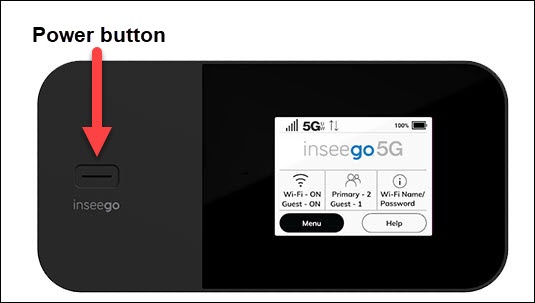
- From the Home screen, tapMenu(lower-left).If necessary, press thePower buttonto turn on the display.
- TapSettings.
- TapAudio Alerts.
- Tap any of the following switch(es) to turn on
or off
:
- All Audio Alerts
- Startup/Shutdown
- Low battery
- Critical low battery
- Charging device
- Charging other device
- USB mode
- SIM status
- New message
- Device connected
- Software update
- Roaming
- Wi-Fi off
- Network selection
- Service notifications
You can also manage audio alerts info via the Admin Web Interface by navigating .