Inseego MiFi X PRO 5G UW - Update Firmware
Software updates improve performance, fix bugs and enhance security. Installing them helps keep your Inseego MiFi® X PRO 5G UW safe and running efficiently.
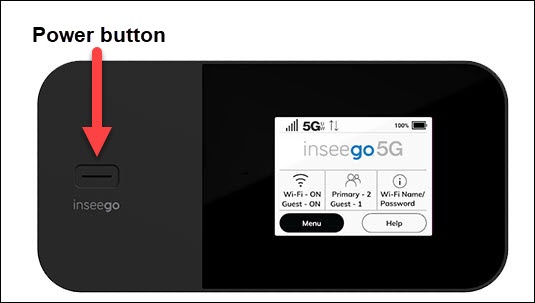
- From the Home screen, tapMenu(lower-left).If necessary, press thePower buttonto turn on the display.
- TapSoftware Update.
- TapCheck for Update.
- If an update is available, do the following:
- TapOKto begin the download.Allow several minutes for the download to complete.
- When presented, tapInstall Now.
- Review the message then tapYesto confirm.Allow several minutes for the process to complete.
- TapOK.
You can also update the software via the Admin Web Interface by navigating: .