Verizon Internet Gateway (WNC-CR200A) Factory Reset
Verizon Internet Gateway (WNC-CR200A)
Factory ResetIf your home network is acting up, a factory reset might be the simplest fix. Learn how to return your Internet Gateway (WNC-CR200A) to its default settings in just a few steps.
Before you begin
A reset to factory default deletes all changes made to the configuration and connected clients need to reconnect. It's recommended to perform a backup before completing a factory reset.
Reset via Device
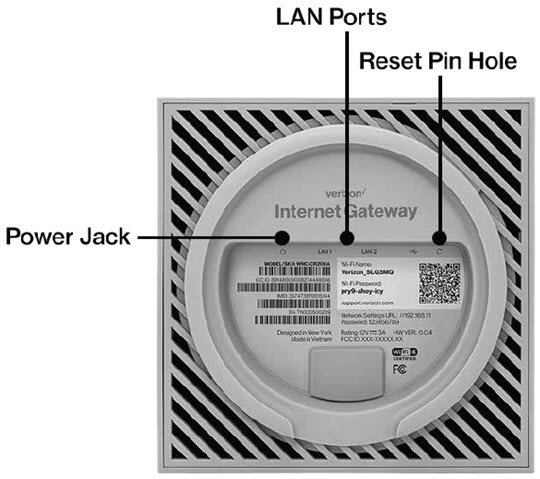
- With the router powered on, locate the Reset button (a hole on the bottom of the router), press and hold the reset button for 3-plus seconds (the status LED should go off).The Gateway returns to service in 3-5 minutes depending on your network connection.
- If a backup was done before the reset, perform a restore if desired.
Reset via Admin Page
- Access the router Admin Page then clickAdvanced(top).
- From the left menu, clickSystemthenFactory Reset.
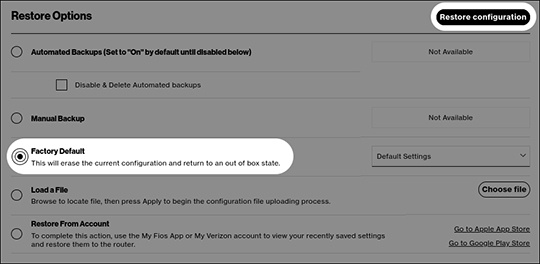
- From the 'Restore Options' section, clickFactory DefaultthenRestore configuration.
- To continue, review the warning then clickOKto begin the restore process.
- If a backup was done before the reset, perform a restore if desired.