Wi-Fi Access Point Manually Connect to Wi-Fi
Wi-Fi Access Point
Manually Connect to Wi-FiConnect your devices to your home network after adding a Wi-Fi Access Point to your wired router. This allows all your devices to share its internet connection instead of relying on their own service.
Steps
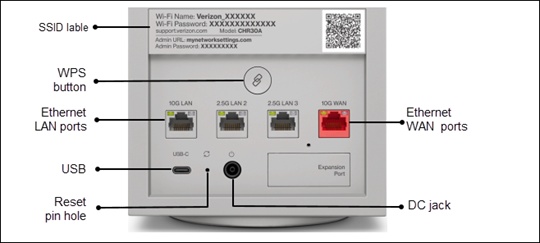
- Locate the default Wi-Fi Name (SSID) and Wi-Fi password printed on the SSID label on the back of the device.
- Select your network name from the list of available networks then enter the Wi-Fi password.