Manage Contacts - Enterprise Messaging (EMAG)
Here's how to manage your contacts when you are on Enterprise Messaging.
- Sign in to Enterprise Messaging.
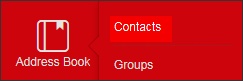
- From the left navigation menu hover over 'Address Book' then clickContacts.To view the navigation menu, click theredtab.
- From the address book screen, click the appropriate contact.
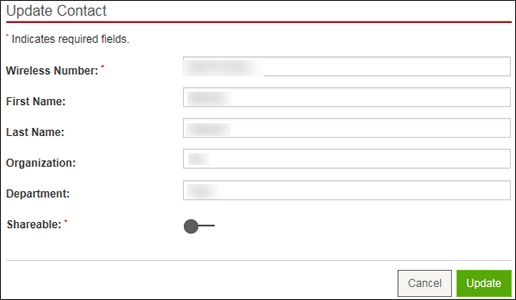
- Enter the appropriate new information then clickUpdate.
- Wireless Number
- First Name
- Last Name
- Organization
- Department
- ShareableClick the shareable switch to enable
or disable
.