Verizon Jetpack® 4G LTE Mobile Hotspot MiFi® 5510L - Sign in to the Admin Page
Here's how to navigate to the admin page for your Verizon Jetpack MiFi 5510L.
The admin page is used to customize the device settings and manage the device password.
If the admin password is forgotten and isn't viewable on the device, a hard reset can be performed. A hard reset removes ALL modified settings (e.g., Network Name (SSID), Wi-Fi/Admin Password, etc.) and restores default settings viewable on the external LED of the MiFi device.
- Establish a Wi-Fi network connection with a device (e.g., computer, smartphone, tablet, etc.).Wi-Fi name and password can be viewed via the external LED or the sticker on the back of the MiFi.If connecting to a computer, select the appropriate operating system for help connecting to Wi-Fi:
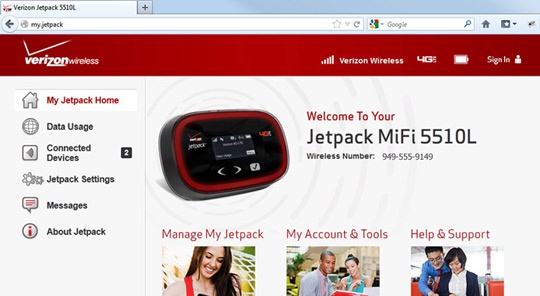
- From the device that's connected to the Jetpack, open a web browser, typehttp://my.jetpackinto the URL address field then pressEnter.Alternatively, type192.168.1.1into the URL / address bar.If the admin page does not appear, refer to step 1.
- ClickSign In(located in the upper-right).
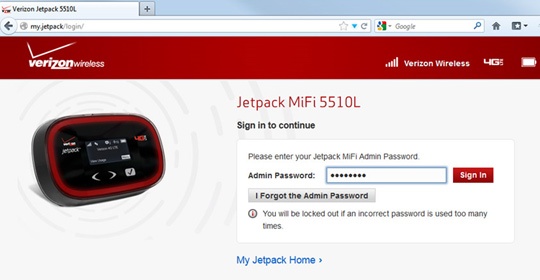
- Enter the Admin Password then clickSign In.You can view the Admin Password via the external LED of your MiFi device.