Verizon LTE Internet and Home Phone - Manage TTY Settings
To change the TTY settings on your Verizon LTE Internet and Home Phone, check out this info.
When TTY (teletypewriter) settings are enabled, you can use your phone with a TTY device if you're deaf or hard of hearing.
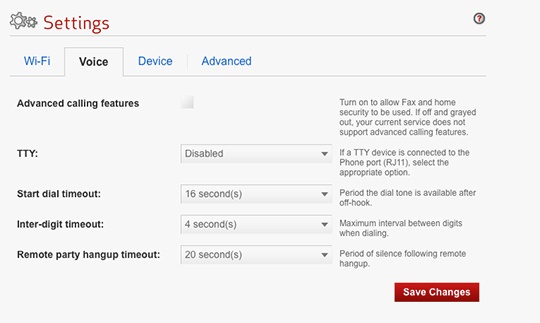
- Access the router configuration console then clickSettings(on the left).For assistance with accessing the router configuration page, refer to Accessing the Router Configuration.
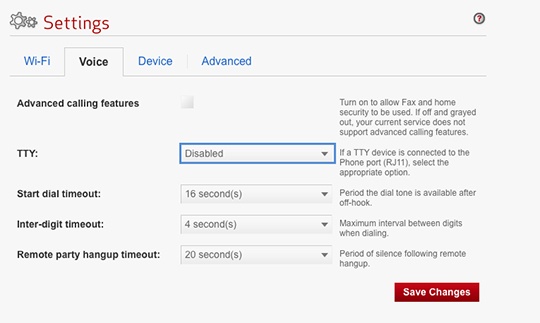
- From the Voice tab, click theTTYdropdown.
- Select an option from the dropdown box then clickSave Changes.