Verizon LTE Internet and Home Phone - Backup/Restore Current Configuration (Windows)
Here's how to manage backup options for your windows configuration on your Verizon LTE Internet and Home Phone.
The former name of this device is the Verizon 4G LTE Broadband Router with Voice.
Backup Configuration
- Access the router configuration console then clickSettings(on the left).For assistance with accessing the router configuration page, refer to Accessing the Router Configuration.
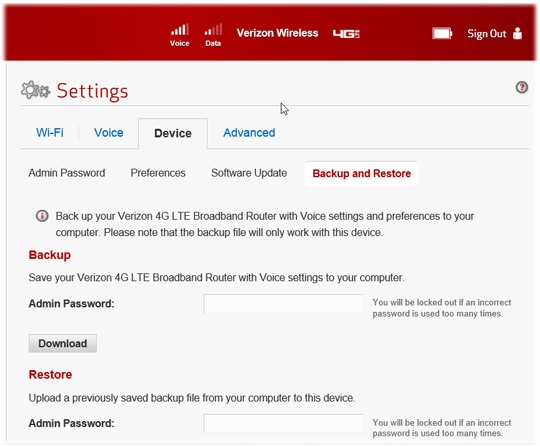
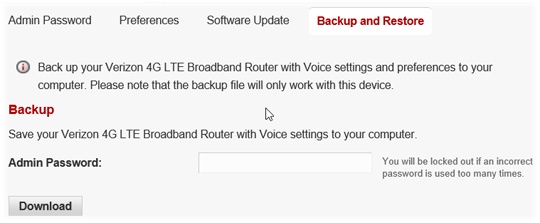
- From the Device tab, clickBackup and Restore.
- From the Backup section, enter your admin password then clickDownload.
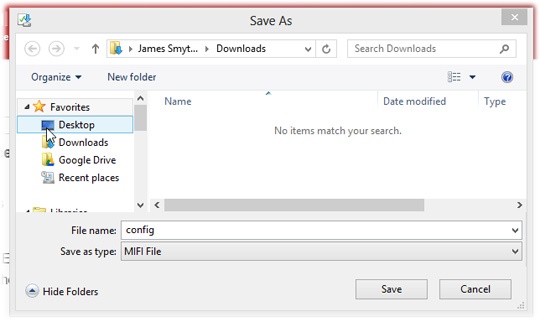
- Save the file to a known location.

Restore Configuration
- Access the router configuration console then clickSettings(on the left).For assistance with accessing the router configuration page, refer to Accessing the Router Configuration.
- From the Device tab, clickBackup and Restore.
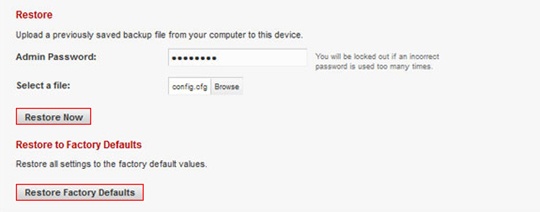
- From the Restore section, clickBrowse.If there is no backup file to restore, clickRestore Factory Defaults.
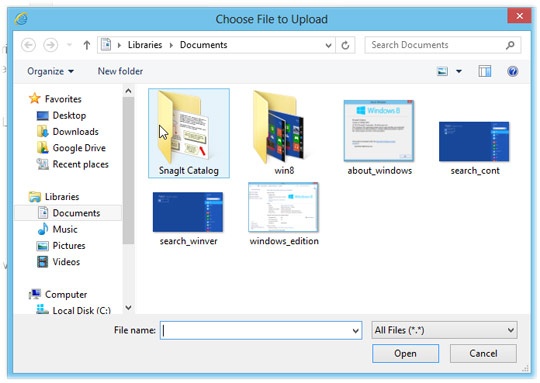
- Locate and select the backup file then clickOpen.
- ClickRestore Now.
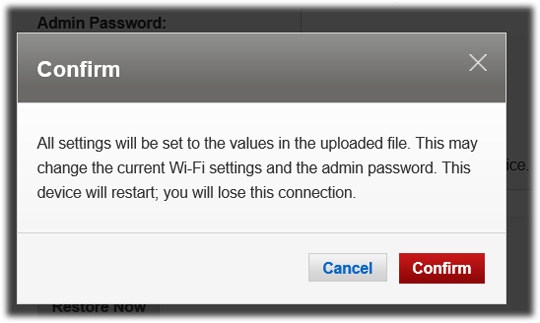
- ClickConfirm.