Verizon LTE Internet and Home Phone - Add a WPS Client
Here's how to add a WPS client to your Verizon LTE Internet and Home Phone for a quicker connection to other devices.
- The former name of this device is the Verizon 4G LTE Broadband Router with Voice.
- Wi-Fi Protected Setup (WPS) allows new wireless clients to be added without having to enter any wireless setting (network name, wireless key, etc.). The wireless client must support WPS. Windows 7 and Windows Vista (SP1) have native WPS support.
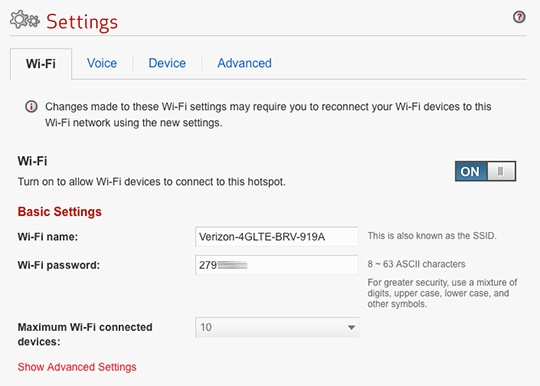
- Access the router configuration console then clickSettings.For assistance, refer to Accessing the Router Configuration.
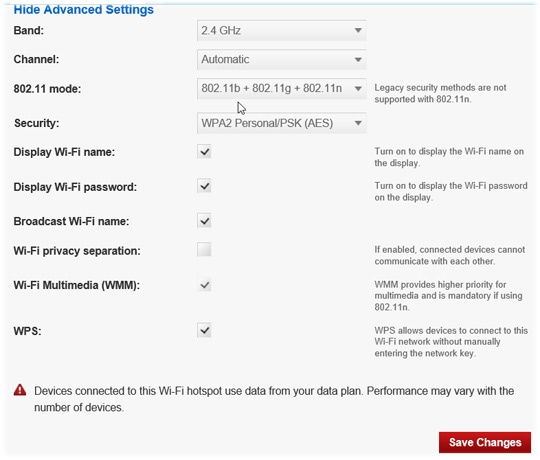
- From the Wi-Fi Profile tab, selectShow Advanced Settings.
- Scroll down to the bottom of the page and check the box next to WPS then selectSave Changes.