Google Nest Cam (battery)
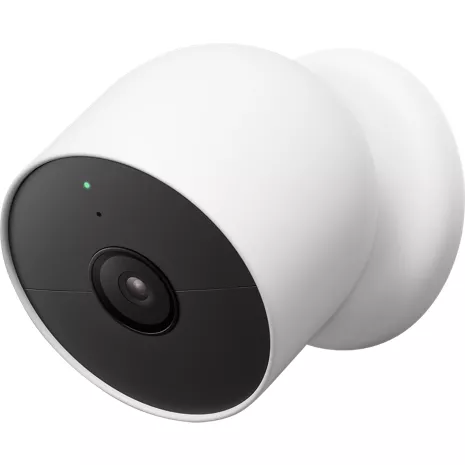
Color

This item is out of stock.
Free returns within 30 days.Details
Get alerts that matter to you.
Nest Cam shows you what s happening at home, and alerts you when it spots a person, animal, or vehicle.² It can even recognize familiar faces and tell you who s coming and going.³
Talk to who's there, even when you re not.
Nest Cam helps you know that things are OK at home. If something happens, it alerts you, so you can decide to take action right from the Google Home app.² Talk and listen through the camera, and if you need some help, you can call your local emergency service directly from the app.4
Outdoors or indoors. Rain or shine.
With no wires and a range of accessories, Nest Cam is designed to go almost anywhere. It s battery-powered and weather-resistant.5 Put it on the exterior of your house to keep an eye on the yard. Or put it inside your home to check in on the dog or the kids. An available stand makes it easy to set up wherever you want.6
Protects your privacy.
Nest Cam uses encrypted video, two-step verification, and enhanced security through your Google Account to help protect your privacy. And a green LED light lets you know when the camera is processing or streaming video. Home & Away Routines give you the option of automatically turning your camera off when you re home, so no video is streamed or recorded until you leave.
¹ Up to 3 hours recording.
² Some features, including mobile notifications, remote control, video streaming, and video recording, require working internet and Wi-Fi.
³ Familiar face alerts require a Nest Aware subscription (sold separately). Not available in Nest Cams used in Illinois.
4 The 911 emergency feature requires a Nest Aware subscription (sold separately). This feature is dependent upon network connectivity and other factors, and may not be available in all areas. Wireless devices may not be reliable for emergency communications. The 911 feature will connect you with the 911 call center covering the home address you provide during setup of this feature.
5 Camera is weather resistant. Some features, including mobile notifications, remote control, video streaming, and video recording, require working internet and Wi-Fi.
6 Stand and other accessories sold separately.
7 Nest Aware subscription required (sold separately).
Reviews
4.6
275 reviews
93% of reviewers recommend this product.
24/7 recording is a must have
Chaser . 1 year ago
Great product
Ces2024 . 1 year ago
Features
- Alerts for people, animals and vehicles²
- 24/7 HDR video and night vision
- Wire-free installation, outside or in
- Records up to 1 hour, during a Wi-Fi or power outage
- Up to 3 hours of free video history
- Add more video history with Nest Aware7
SKU#
SKU#
GA01317-US
What's in the box
- Google Nest Cam (battery)
Google Nest Cam (battery) Reviews
4.6
275 reviews
93% of reviewers recommend this product.
24/7 recording is a must have
Chaser . 1 year ago
Great product
Ces2024 . 1 year ago
Camera
Rick . 2 years ago
Best camera
Cass . 2 years ago
You need the solar charger.
Jose Pagan . 2 years ago
New Eyes
Zedrick . 3 years ago
Love this.
N Rami . 3 years ago
First smart security camera and not disappointed.
Anthony Russell . 3 years ago
Easy to Use and Install
Texelena . 4 years ago
Google LLC Originally posted on Google LLC
I love using this with my cats!
Serenefairy2 . 4 years ago
Google LLC Originally posted on Google LLC
Google Nest Cam (battery) FAQs
Mack . May 24, 2024
How much is a subscription to google nest aware
https://store.google.com/product/nest_aware?pli=1&hl=en-US -Melissa
Guy from Boston . Jan 23, 2024
When fully charged, how long does the device last before needing a recharge?
We opted for wireless, as it made for a much easier installation process. The disadvantage of wireless cameras is battery life, but the Nest Cam Battery works for a while before you need to recharge it. You can expect your battery to last for 1.5 to seven months, depending on the level of activity. https://www.verizon.com/products/google-nest-cam-battery/ -Natasha
okey . Jan 9, 2024
Do I need internet to use this or just link to my cellphone?
For more details about what is necessary for the installation of this Nest Cam click here: https://support.google.com/googlenest/answer/9293657?hl=en -Joseph
Mark . Sep 20, 2022
Will this camera work with my Verizon Internet Gateway?
We will need to gather more information to help answer your questions. Please reach out to us at 800-922-0204. -Alex
Mikey . Jun 21, 2022
How long does a single charge to the battery last when used on wire free before it needs a recharge?
Hi, Mikey. Thank you for reaching out today. I understand your concern with your battery. Just to clarify, you mean wireless charging. Is that correct? *Cassandra
Google Nest Cam . May 27, 2022
Is this camera rated for outdoor?