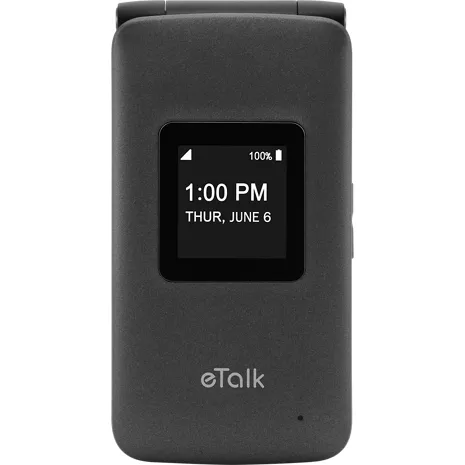
Reviews
1.6
257 reviews
12% of reviewers recommend this product.
annie . 8 days ago
Shoddy design and frustratingly slow software
mrssmith . 7 months ago

Design
Width
2.28 in.
Weight
4.74 oz.
Height
.67 in
Accessibility
Auditory
Hearing Aid Support, Live Caption, Real-Time Text
Hearing Aid Compatibility
M4/T4
Battery
Standby Time
5 days
Usage Time
8.4 hrs.
Network
Network
4G LTE (B2/B4/B5/B13)LTE cat 4UMTS (850/1900 MHz)GSM (850/1900 MHz)
Camera
Camera
2MP Rear-facing, Video capable
Performance
Storage
4 GB
Display
Screen
2.8 in
SKU#
SKU#
KAZF119VWQ
What's in the box
- eTalk Phone
- Pre-installed SIM Card (4FF)
- Li-Ion Polymer, removable 1500mAh battery
- Wall Adapter/USB Cable
- Activate Your Phone Guide
- Meet Your Phone Guide
- Consumer Safety Information
- Product Safety and Warranty Brochure
KAZUNA eTalk Prepaid Reviews
annie . 8 days ago
Shoddy design and frustratingly slow software
mrssmith . 7 months ago
Save your money
Sandy . 1 year ago
Not terrible, as flip phones go.
Yoel . 1 year ago
better as a downgrade
keepitsimple . 1 year ago
Terrible phone
TL20 . 1 year ago
tstar . 2 years ago
Worst phone ever!
therizzler . 2 years ago
My Mom and Dad's Phones, Not Mine
JamieG . 2 years ago
Worst phone I've ever had.
TJ15 . 2 years ago
KAZUNA eTalk Prepaid FAQs
Jean . Mar 20, 2026
How to set up speed dial
Dana . Feb 17, 2026
Does it have the auto answer feature?
Ethylea . Jan 27, 2026
Can this phone restrict incoming calls to only contacts?
Yes, by using our Verizon Family feature any line can be set to only allow whitelisted numbers. Details on it can be found here: https://www.verizon.com/solutions-and-services/add-ons/safety/verizon-family-parental-control-monitoring-app/ -Josh
Reuven . Dec 2, 2025
Does it come with browser
unhappy customer . Oct 24, 2025
How do receive text messages. Manuals have no information. Cannot find inbox. Not receiving text messages, able to send text messages.
To send a text on the KAZUNA eTalk, go to Menu > Messaging > New Msg, enter the 10-digit number, type your message, and press Send. To receive a text, you will see a notification on the main screen. To read it, go to Menu > Messages and select the conversation. ~Maria