5G Home Router Enable / Disable a Connected Device
5G Home Router
Enable / Disable a Connected DeviceTake control of your home Wi-Fi by learning how to quickly enable or disable any device on your network.
Before you begin
This content is for 5G Home Internet. Here's info on Fios Home Internet.
5G Home Internet service is currently offered in specific areas. Here's how to check for 5G coverage availability.
Steps
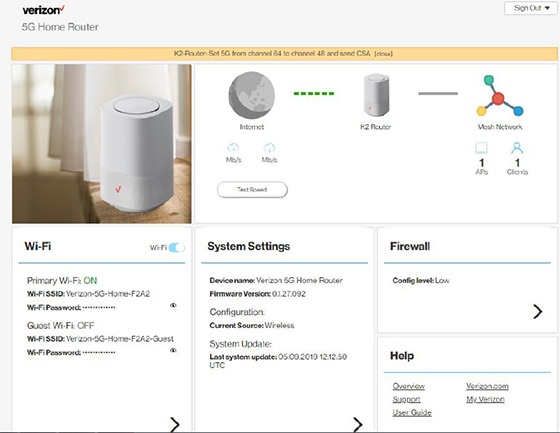
- Sign in to the Admin WebGUI.
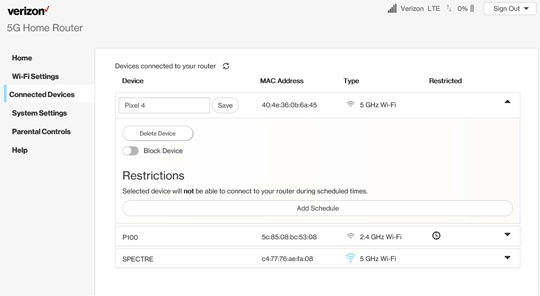
- From the Router Home screen, clickConnected Devices.
- From Connected Devices, click theDropdown menuto the right of the applicable device.
- Click theBlock Device switchon or off.The selected device's connection is disabled when switched on.