Configure LAN Settings - Verizon 4G LTE Internet and Home Phone
Here's how to configure LAN settings for your Verizon LTE Internet and Home Phone.
The former name of this device is the Verizon 4G LTE Broadband Router with Voice.
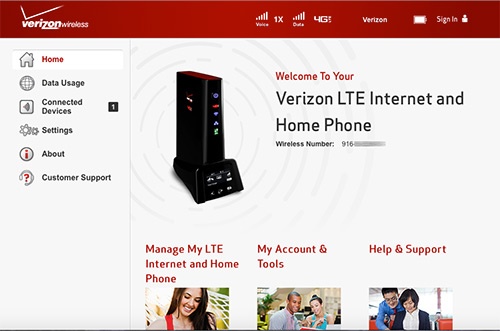
- Access the router configuration console then clickSettings(on the left).For assistance with accessing the router configuration page, refer to Accessing the Router Configuration.
- From the Advanced tab, clickContinue.
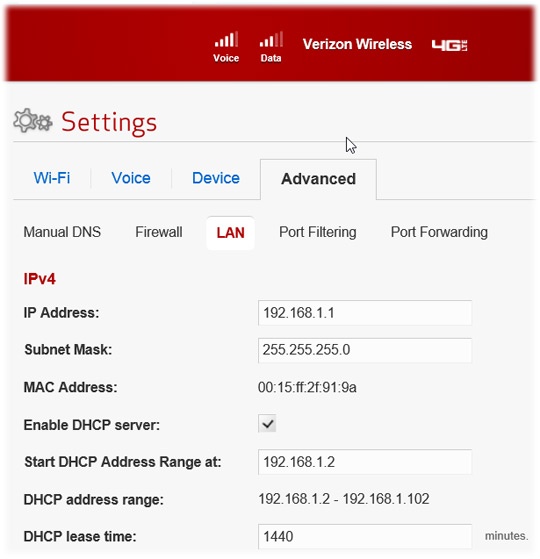
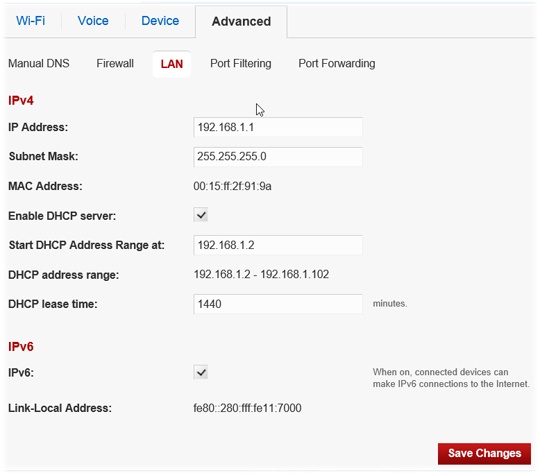
- ClickLAN.
- Adjust as desired then clickSave Changes(bottom of screen).For assistance with DHCP, refer to Configuring DHCP.