Push to Talk Plus Contact Management Tool - Upgrade from 3G to 4G
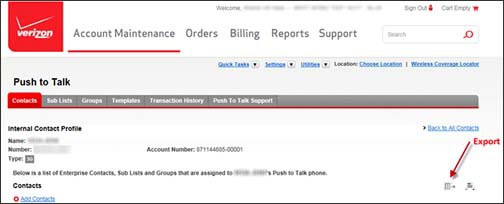
Here's how to export Push to Talk Plus contacts with the contact management tool when upgrading from a 3G to 4G device.
Ensure all 3G PTT contacts are exported before processing an upgrade to 4G device. After upgrading to a 4G device, all 3G contacts are lost.
- Sign in to the Push to Talk admin page via My Business.
- Prior to upgrade, export the current 3G contacts.
- Create a new template.
- Process the 3G to 4G device upgrade.
- From Manage templates, apply the template created in step 3 to the new upgraded line.
- Assign the upgraded line to all lines that should have it as contact.