Inseego MiFi X PRO 5G UW - View Software Version
Here's how to view the software version your Inseego MiFi X PRO 5G UW is running.
Check the Software Updates page to see if your device's most recent software version is listed.
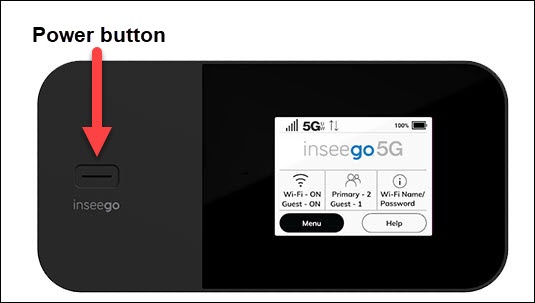
- From the Home screen on your Inseego MiFi® X PRO 5G UW, tapMenu(lower-left).If necessary, press thePower buttonto turn on the display.
- TapSoftware Update.
- View the SW Version.To verify the device has the latest software version, refer to Update Firmware.
You can also locate the software version via the Admin Web Interface by navigating: then view the Jetpack version.