Smartwatch for kids starter kit with Gizmo Watch 4
The best smartwatch for kids helps families introduce technology with intention. A cognitive specialist shares how to make your child's first smartwatch a positive first step.

At a glance
- A kid-friendly smartwatch can be a good first connected device for children who are ready for more independence but not a smartphone
- Gizmo Watch 4 lets kids call approved contacts and use location and safety features without social media, open internet access or constant notifications.
- Before giving a child a smartwatch, practice how to communicate, ask for help, follow family screen rules and take responsibility for the device.
In my work as a parent coach and cognitive specialist, I’m hearing a new question from families: How can I give my child more independence without giving them unrestricted access to a smartphone?
A smartwatch for kids can be a useful first step. It can help children practice checking in and being on their own, without the social media, open internet access and constant notifications that come with a smartphone.
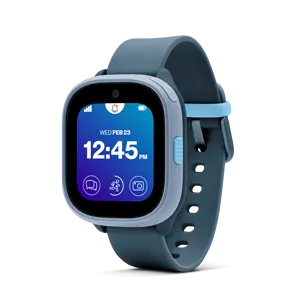
That’s what makes the Gizmo Watch — and now the new Gizmo Watch 4 — a practical option for a child’s first smartwatch. It gives children tools to stay in touch and ask for help while giving parents controls that support safety and healthy boundaries.
Here’s how I encourage families to introduce a kid’s smartwatch so it builds communication, responsibility and independence from day one.
What to know before you hand over your kid’s first smartwatch
Children are still developing the executive functioning skills needed for self-regulation. Impulse control, planning and decision-making will continue developing well into young adulthood.
The Gizmo Watch 4 supports that gradual development by focusing on safety and connection rather than constant digital distraction. A few key features that help:
- There’s no social media.
- Only parent-approved contacts can call or text.
- School Mode limits the watch to emergency calls only when a parent activates this setting.
- GPS Safe Zones helps parents know when kids arrive or leave certain areas, like school or the neighborhood.
- And new to the Gizmo Watch 4, parents get an alert if the watch is removed.

Day One: Practice calling and checking in
Start by practicing how your child will use the watch to communicate with family. For example, they might call mom or text dad to learn how those functions work. You will also want them to practice answering a call from you, as well as to use the Gizmo Watch 4’s SOS feature so they know how it works before they need it.
As they build confidence, introduce location sharing to build trust
One of the healthiest approaches is to discuss location sharing openly with children. When I explained location sharing as a way to stay connected — not monitor — my kids responded differently.
Instead of “I’m tracking you,” the conversation focuses on “This helps our family stay connected and safe.” It’s a small shift that encourages trust. Here are a few examples of when location sharing can be part of the conversation:
- Staying safe during transitions, like going to school from home
- Knowing what to do if there’s an emergency
- Staying in touch with family during sleepovers or playdates
- Earning more independence and going places on their own or with friends
Before there’s an emergency, practice asking for help
Children benefit from knowing what to do when they feel unsafe, so don’t wait for an emergency to teach your child how to use the watch.
Practice together:
- How to use the watch if you’re lost
- How to identify trusted adults
- How to communicate clearly under stress
Every day: Practice screen-free boundaries
Screen-free time applies to kid-friendly smartwatches, too. Consider device-free periods during:
- Family meals
- Homework
- Religious activities
- Family game nights
- Bedtime routines
Setting these rules can be a good reminder for parents, too. Parents who frequently check devices during conversations may unintentionally teach children that technology deserves constant attention. Put your devices away during screen-free time.
Over time: Use your child’s first smartwatch to teach responsibility
A smartwatch can bring added responsibilities for kids to practice. For example, parents can encourage children to:
- Charge the device
- Answer it appropriately
- Take care of it
The goal is to start helping your child develop a full sense of digital responsibility—not just in how they use the device, but in how they care for it, too.
Gizmo Watch 4 | School-ready | Parent-approved |
|---|---|---|
Location sharing with Verizon Family | Encourages independence with fewer check-ins. | See where everyone is—including your child’s Gizmo Watch 4—with Verizon Family Plus. |
No social media | The focus is on connection, not the internet. | No browsing, scrolling or algorithms |
School Mode | Toggle on and off from the parent app. | Emergency calls only during school hours |
GPS Safe Zones | More visibility around pick-ups. | Get notified when they arrive or leave. |
Watch removal alert | Teaches that independence comes with responsibility. | Receive an alert if the watch comes off. |
Gizmo Ask & Learn | Early, age-appropriate exposure to tech. | Kid-friendly answers without open internet access |
Parent-approved contacts | Only talk with the family and friends that parents approve. | Only trusted contacts can call or text. |
School-ready, parent approved: Gizmo Watch 4.
Learn more about our Verizon Loyalty Program for all.


