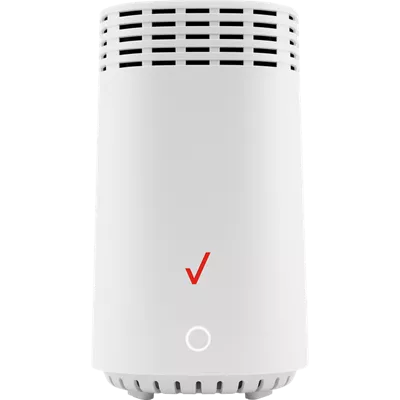
Verizon E3200 Wi-Fi Extender for 5G Home
Color
Free returns within 30 days.Details
Get it fast
Free 2 Day Shipping
Free Express Pickup
Select a storeExtend your coverage. The E3200 extender is designed to work with your 5G Home Verizon Internet Gateway to expand the coverage of your Wi-Fi signal.
Optimal Wi-Fi experience.
Wi-Fi 6 gives fast and efficient internet, allowing you to game, stream or video call with peace of mind.
Self-organizing network.
Automatic band steering and access point steering using SON technology ensures your device connects to the best available connection for better performance.
Reviews
2.5
87 reviews
35% of reviewers recommend this product.
Terrible solution
BenJ . 11 days ago
Do Better Verizon
Nancy . 1 month ago
Features
- Extends Wi-Fi coverage of the Verizon Internet Gateway
- Wi-Fi 6
- Automatic band steering and access point steering using SON
- Tri-band 4x4 antennas
- 2 Gigabit LAN ports
- Coax port supporting MoCA 2.5 LAN
- WPS button
Specs
- Dimensions: 5.31 x 5.94 x 9.25 in.
- Weight: 5.22 oz.
SKU#
SKU#
E3200
What's in the box
- Verizon E3200 Wi-Fi Extender for 5G Home
- Power adapter
- Setup guide
Verizon E3200 Wi-Fi Extender for 5G Home Reviews
2.5
87 reviews
35% of reviewers recommend this product.
Terrible solution
BenJ . 11 days ago
Do Better Verizon
Nancy . 1 month ago
Stronger signals
Mike Mo . 4 months ago
Poor signal to the extender
Craig . 4 months ago
Love it! Once the setup headache was complete…
Chris GVL . 5 months ago
Confused
Pam Molloy . 5 months ago
Heck compatibility before ordering!
SRQ Dave . 6 months ago
Installing etender
Bill . 9 months ago
Working So Far, Lots of trial and error
Joe D . 10 months ago
It worked for a while
Mad at Verizon . 10 months ago
Verizon E3200 Wi-Fi Extender for 5G Home FAQs
rpender . Jan 12, 2026
whats the purpose of bluetooth connection if it has to be cabled?
AZ Sunshine . Jan 12, 2026
Do you have to leave the extender plugged into the router at all times? How does it extend coverage if it is sitting right next to the router?
No, it does not need to be plugged in to the router at all times. ~Freddy
Red light . Dec 26, 2025
Red light showing
A red light indicates a potential problem. Find Support link https://www.verizon.com/support/knowledge-base-306062/ ~Joe M
Jim S . Dec 25, 2025
Does the extender require an ether net connection to the Verizon router?
It would need to be connected with either coax or Ethernet cable. -Cryssie
Amed . Nov 30, 2025
How do I know that the extender is connected?
You will know your Verizon network extender is connected by checking the solid blue Power/Status LED light, verifying the "In Service" message on the device's display, or by dialing #48 on your phone and listening for the confirmation announcement.
Pair button . Nov 18, 2025
where is the pairing button?
The pairing button is the one under the Verizon Logo on the front part of the WiFi Extender. -Luis
Daddygeitz . Nov 6, 2025
If I get this Wi-Fi extender will it pick up my Wi-Fi internet speeds and make my internet faster or no?
No, the E3200 does not make the internet speeds faster. The E3200 extender is designed to work with your 5G Home Verizon Internet Gateway to expand the coverage of your Wi-Fi signal, and it supports the fastest Wi-Fi speeds available (Wi-Fi 6). The overall speed of your connection is determined by your internet plan. -Erica
E3200 . Oct 10, 2025
I was provided this Verizon extender for my home wifi of 100/100 and I was specifically told I do not have 5G. So will this work or should I return it at a store and purchase the correct extender for my system?
Richard J . Sep 28, 2025
Do I need to have coax and/or Ethernet connected to use the extender, or will it function as a wifi repeater?
It would need to be connected with either coax or Ethernet cable.
Bryan . Sep 24, 2025
Do I need to log in to the extender or am I basically still logged in to the gateway through the extender?
No, you do not need to log into the extender separately; after initial setup, it will automatically use the same Wi-Fi Name/Password as your Verizon Gateway, so you're still connected to your router through the extender network. -Cryssie