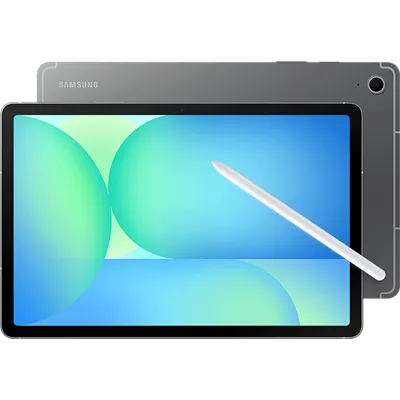
Samsung Galaxy Tab S10 FE 5G
4.5 (361 reviews)
Color: Gray
Storage: 128 GB
You're saving $/mo
Line must remain on currently offered connected device plan. Bill credits end if line canceled or moved to ineligible plan. Details
of $40 per device
Compare devices
Currently Viewing Samsung Galaxy Tab S10 FE 5GStarts at $16.66/mo for 36 months, 0% APR | Samsung Galaxy Tab S9 FE 5GStarts at $15.27/mo for 36 months, 0% APR | Samsung Galaxy Tab S10+ 5GStarts at $31.94/mo for 36 months, 0% APR | Samsung Galaxy Tab S7 FE 5GStarts at $18.61/mo for 36 months, 0% APR |
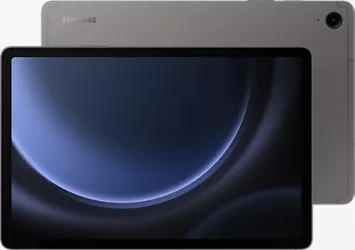
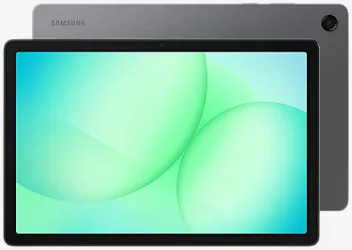
Samsung Galaxy Tab S10 FE 5G Battery lifeUp to 21 hours | Samsung Galaxy Tab S9 FE 5G Battery lifeUp to 21 hours | Samsung Galaxy Tab S10+ 5G Battery life4G: Up to 16 hours | 5G: Up to 15 hours | Samsung Galaxy Tab S7 FE 5G Battery lifeUp to 4G: 18.90 hrs.; 5G: 13.61 hrs. |
Samsung Galaxy Tab S10 FE 5G Screen10.9 in TFT LCD | Samsung Galaxy Tab S9 FE 5G Screen | Samsung Galaxy Tab S10+ 5G Screen12.4" Dynamic AMOLED 2X | Samsung Galaxy Tab S7 FE 5G ScreenWQXGA TFT LPS, Gorilla Glass 3 |
Samsung Galaxy Tab S10 FE 5G Reviews4.5 out of 5 rating 4.5 (361 reviews) | Samsung Galaxy Tab S9 FE 5G Reviews4.4 out of 5 rating 4.4 (482 reviews) | Samsung Galaxy Tab S10+ 5G Reviews4.7 out of 5 rating 4.7 (663 reviews) | Samsung Galaxy Tab S7 FE 5G Reviews4.4 out of 5 rating 4.4 (349 reviews) |
Samsung Galaxy Tab S10 FE 5G Storage128 GB (Subject to availability) | Samsung Galaxy Tab S9 FE 5G Storage128 GB (Subject to availability) | Samsung Galaxy Tab S10+ 5G Storage256 GB (Subject to availability) | Samsung Galaxy Tab S7 FE 5G Storage64 GB (Subject to availability) |
Samsung Galaxy Tab S10 FE 5G Rear camera13MP AF | Samsung Galaxy Tab S9 FE 5G Rear camera8MP AF | Samsung Galaxy Tab S10+ 5G Rear camera13MP AF + 8MP FF UW | Samsung Galaxy Tab S7 FE 5G Rear camera8MP AF |
Samsung Galaxy Tab S10 FE 5G Colors | Samsung Galaxy Tab S9 FE 5G Colors | Samsung Galaxy Tab S10+ 5G Colors | Samsung Galaxy Tab S7 FE 5G Colors |
Samsung Galaxy Tab S10 FE 5G | Samsung Galaxy Tab S9 FE 5G | Samsung Galaxy Tab S10+ 5G | Samsung Galaxy Tab S7 FE 5G |
Reviews
4.5
361 reviews
85% of reviewers recommend this product.
Really Great Product
Valerie · 6 hours ago
Samsung US Originally posted on Samsung US
Not worthy
Luis · 1 day ago
R&R Team - 12 hours ago
Hi there Luis, thank you for taking time out of your day to share your thoughts about your Samsung Galaxy Tab S10 FE with us. We know how disappointing it can be when you have a device that is not meeting your expectations. Without knowing what features you feel are not operating as intended or have been removed, we have provided links to the complete manual for your device and to the Samsung Support Team. These resources can help you discover the full capabilities of your device, align the settings to your preferences, and answer any questions or offer troubleshooting assistance for any frustrations. Thank you for being a Samsung customer. -Elizabeth Product Manuals https://www.samsung.com/us/support/downloads/ Samsung Support smsng.us/Samsung-Support Samsung Community smsng.us/Samsung-Community Facebook smsng.us/Facebook-Messenger X https://smsng.us/X-MessagesSamsung US Originally posted on Samsung US
- 5G speeds vary and require optimal network and connection (factors include frequency, bandwidth, congestion); see carrier for availability.
- Measured diagonally, the Galaxy Tab S10 FE screen size is 10.9" in the full rectangle and 10.8" accounting for the rounded corners. Actual viewable area is less due to the rounded corners.
- Requires internet connection. Users may need to update Android and Google app to the latest version. Works on compatible apps and surfaces. Results may vary depending on visual matches. Accuracy of results is not guaranteed. Color and model availability may vary depending on country or carrier.
- Consistent with IP68 rating, water resistant in up to 5 feet of water for up to 30 minutes. Rinse residue / dry after wet.
- Samsung account login required and internet connection. Handwriting Assist is available for text in Note only (200-4,000 characters).
- Galaxy AI features by Samsung will be provided for free until the end of 2025 on supported Samsung Galaxy devices. Keyboard and AI Key function only compatible with Galaxy Tab S10 FE Series, Tab S10 Series, Tab S9 Series, Tab S9 FE Series models with One UI 7.0 or later.
- Based on average battery life under typical usage conditions. Average expected performance based on typical use. Actual battery life depends on factors such as network, features selected, frequency of calls, and voice, data, and other application usage patterns. Results may vary.
- Requires 45W wall charger (sold separately). Use only Samsung-approved charger and USB-C cable. To avoid injury or damage to your device, do not use incompatible, worn or damaged batteries, chargers or cables.
Unwind with a big screen.
Circle anything. Search everything.
Handwriting Assist5 makes your untidy notes neat.
The power of AI,6 on your keyboard.
Water resistant, from drops to dunks.
Power for your entertainment and to-dos.
Pen-point precision.
Great battery. Fast charging.
Design
Colors
Gray
Height
10.01 in
Width
6.53 in
Weight
17.64 oz
Depth
0.24 in
Charging Port
USB Type-C
Accessibility
Overall
Accessibility Shortcut, Android Accessibility Suite
Auditory
Hearing Aid Support, Live Caption, Live Transcribe, Real-Time Text, Sound Amplifier, Sound Notifications
Voice Assistant
Google Assistant, Bixby
Mobility
Switch Access
Visual
Magnification, Text and display, TalkBack, Select to Speak
Network
4G
4G LTE speeds range between 11 and 75 Mbps for downloads and between 1 and 13 Mbps for uploads. Great for voice calls, downloading files, web surfing and other activities that don't require higher bandwidth.
Wi-fi
802.11 a/b/g/n/ac/ax | Tri-Band (2.4/5/6GHz) | Wi-Fi 6E
SAR
Body: 1.19 W/Kg | Simul: 1.54 W/Kg
FCC ID
A3LSMX528U
Global & Roaming Network
4G: 1, 3, 7, 12, 20, 28, 38, 39, 40, 41 | 5G: n41, n77, n78 | UMTS Quad
5G Nationwide
5G speeds range between 35 Mbps and 143 Mbps for downloads and between 5 and 31 Mbps for uploads. Great for gaming, streaming, and other steady bandwidth activities
5G Ultra Wide-Band
5G Ultra Wideband speeds range between 195 and 634 Mbps for downloads and between 10 and 53 Mbps for uploads. Great for work, file-sharing, video conferencing, and other high-bandwidth activities.
World Device
Works in over 200 countries depending on your plan
Battery
Standby Time
Up to 500 hours
mAh (per hour)
8000mAh
Usage Time
Up to 21 hours
Fast Charge
Y
Additional Features
CDMA(Less) or Network
Y
Prop 65 Warning
Y, Reproductive Harm
Camera
Front Camera
12MP FF UW
Rear Camera
13MP AF
Video Recording
UHD 4K (3840x2160) @ 30fps
Camera Modes
Portrait, Photo, Video, Pro, Pro Video, Night, Food, Panorama, Hyperlapse, Single Take
Performance
Bluetooth
Y, BT 5.3
Processor
Samsung Exynos 1580 | Octa-core (1x 2.9GHz + 3x 2.6GHz + 4x 1.9GHz)
OS
Android 15.0
Expandable Memory
Y
Hotspot
Y
Memory/Storage
128GB + 8GB LPDDR5
Security
Fingerprint sensor, Facial recognition
Display
Screen
10.9 in TFT LCD
Refresh Rate
90Hz
Aspect Ratio
WUXGA+ 2304 x 1440 (16:10)
SKU#
SKU#
What's in the box
- Samsung Galaxy Tab S10 FE 5G (10.9") / 128GB
- S Pen
- Pre-Installed SIM Card
- USB Cable (Type C to C)
- Quick Reference Guide/Samsung Terms & Conditions
- 5G speeds vary and require optimal network and connection (factors include frequency, bandwidth, congestion); see carrier for availability.
- Measured diagonally, the Galaxy Tab S10 FE screen size is 10.9" in the full rectangle and 10.8" accounting for the rounded corners. Actual viewable area is less due to the rounded corners.
- Requires internet connection. Users may need to update Android and Google app to the latest version. Works on compatible apps and surfaces. Results may vary depending on visual matches. Accuracy of results is not guaranteed. Color and model availability may vary depending on country or carrier.
- Consistent with IP68 rating, water resistant in up to 5 feet of water for up to 30 minutes. Rinse residue / dry after wet.
- Samsung account login required and internet connection. Handwriting Assist is available for text in Note only (200-4,000 characters).
- Galaxy AI features by Samsung will be provided for free until the end of 2025 on supported Samsung Galaxy devices. Keyboard and AI Key function only compatible with Galaxy Tab S10 FE Series, Tab S10 Series, Tab S9 Series, Tab S9 FE Series models with One UI 7.0 or later.
- Based on average battery life under typical usage conditions. Average expected performance based on typical use. Actual battery life depends on factors such as network, features selected, frequency of calls, and voice, data, and other application usage patterns. Results may vary.
- Requires 45W wall charger (sold separately). Use only Samsung-approved charger and USB-C cable. To avoid injury or damage to your device, do not use incompatible, worn or damaged batteries, chargers or cables.
Samsung Galaxy Tab S10 FE 5G Reviews
4.5
361 reviews
85% of reviewers recommend this product.
Really Great Product
Valerie · 6 hours ago
Samsung US Originally posted on Samsung US
Not worthy
Luis · 1 day ago
R&R Team - 12 hours ago
Hi there Luis, thank you for taking time out of your day to share your thoughts about your Samsung Galaxy Tab S10 FE with us. We know how disappointing it can be when you have a device that is not meeting your expectations. Without knowing what features you feel are not operating as intended or have been removed, we have provided links to the complete manual for your device and to the Samsung Support Team. These resources can help you discover the full capabilities of your device, align the settings to your preferences, and answer any questions or offer troubleshooting assistance for any frustrations. Thank you for being a Samsung customer. -Elizabeth Product Manuals https://www.samsung.com/us/support/downloads/ Samsung Support smsng.us/Samsung-Support Samsung Community smsng.us/Samsung-Community Facebook smsng.us/Facebook-Messenger X https://smsng.us/X-MessagesSamsung US Originally posted on Samsung US
Love it!
1 day ago
R&R Team - 1 day ago
Hey KRvs, we appreciate you taking time out of your day to share your experience of your Samsung Galaxy Tab S10 FE with us. We are so happy to hear that you are having such a great usage of your tablet for both personal and professional uses. We have provided a link to the complete manual for your device to help you fully explore your new device, and align the settings to your preferences. We have also shared a link to the Samsung Support Team to assist you if you ever have questions about your Samsung products. Thank you for being a Samsung customer. -Elizabeth Product Manuals https://www.samsung.com/us/support/downloads/ Samsung Support smsng.us/Samsung-Support Samsung Community smsng.us/Samsung-Community Facebook smsng.us/Facebook-Messenger X https://smsng.us/X-MessagesSamsung US Originally posted on Samsung US
Fast, Reliable, and Perfect for Everyday Use
Chee · 1 day ago
R&R Team - 1 day ago
Hey Chee, thank you for sharing your thoughts about your Samsung Galaxy Tab S10 FE with us. We are thrilled to hear how pleased you are with the amazing features and usage of your tablet. We have provided a link to the Samsung Support Team to assist you if you ever have questions about your Samsung products. We appreciate you being a Samsung customer. -Elizabeth Samsung Support smsng.us/Samsung-Support Samsung Community smsng.us/Samsung-Community Facebook smsng.us/Facebook-Messenger X https://smsng.us/X-MessagesSamsung US Originally posted on Samsung US
Nice tablet.
Stephon · 2 days ago
R&R Team - 1 day ago
Hi there Stephon, we appreciate you sharing your thoughts about your Samsung Galaxy Tab S10 FE with us. We are happy to hear that you are overall pleased with the usage of your device. We have provided links to a few articles to help you maximize the speed and responsiveness of your device. We have also shared a link to the Samsung Support Team to assist you if this experience continues, or you have questions about your Samsung products. Thank you for being a Samsung customer. -Elizabeth How to adjust refresh rate options on your Galaxy phone or tablet https://www.samsung.com/us/support/answer/ANS10003396/ Galaxy phone or tablet's screen is frozen or responds too slowly https://www.samsung.com/us/support/troubleshooting/TSG01001765/ Samsung phone or tablet freezes and crashes https://www.samsung.com/us/support/troubleshooting/TSG01001416/ Samsung Support smsng.us/Samsung-Support Samsung Community smsng.us/Samsung-Community Facebook smsng.us/Facebook-Messenger X https://smsng.us/X-MessagesSamsung US Originally posted on Samsung US
Nice
Sean · 2 days ago
R&R Team - 1 day ago
Hey Sean, we appreciate you sharing your experience of your Samsung Galaxy Tab S10 FE with us. We are thrilled to hear that you are so pleased with the usage of your new tablet. We have provided a link to the complete manual for your device to help you fully discover the capabilities of your device, and integrate the amazing features in to your usage. We have also shared a link to the Samsung Support Team to assist you if you have questions as you continue using your Samsung products. Thank you for being a Samsung customer. -Elizabeth Product Manuals https://www.samsung.com/us/support/downloads/ Samsung Support smsng.us/Samsung-Support Samsung Community smsng.us/Samsung-Community Facebook smsng.us/Facebook-Messenger X https://smsng.us/X-MessagesSamsung US Originally posted on Samsung US
Galaxy Tab S10 FE 5G
Richard · 2 days ago
Great tablet
Mr SJS · 2 days ago
R&R Team - 1 day ago
Hi there Mr SJS, thank you for sharing your thoughts about your Samsung Galaxy Tab S10 FE with us. We are happy to hear that you are enjoying the usage of your tablet for streaming your favorite shows and movies as well as checking your emails and texts. We have provided links to resources to help you with additional capabilities available on your device, and answer any questions that may come up as you continue using your device. Thank you for being a Samsung customer. -Elizabeth Product Manuals https://www.samsung.com/us/support/downloads/ Samsung Support smsng.us/Samsung-Support Samsung Community smsng.us/Samsung-Community Facebook smsng.us/Facebook-Messenger X https://smsng.us/X-MessagesSamsung US Originally posted on Samsung US
Won’t hold a charge
Joe S · 2 days ago
R&R Team - 2 days ago
Hi there Joe S, we appreciate you sharing your experience of your Samsung Galaxy Tab S10 FE with us. We know how important the lasting battery life of your device is to you every day, and we would love to help you resolve this frustration. We have provided links to a few troubleshooting guides to assist you at your convenience. We have also shared a link to the Samsung Support Team to assist you further if this experience continues with your device. We appreciate you being a Samsung customer. -Elizabeth Get the most out of your Galaxy phone or tablet battery https://www.samsung.com/us/support/answer/ANS00078987/ Apps are draining battery on Galaxy phone or tablet https://www.samsung.com/us/support/troubleshooting/TSG01001388/ Samsung Support smsng.us/Samsung-Support Samsung Community smsng.us/Samsung-Community Facebook smsng.us/Facebook-Messenger X https://smsng.us/X-MessagesSamsung US Originally posted on Samsung US
Table
Kradin · 3 days ago
R&R Team - 2 days ago
Hey Kradin, thank you for taking time out of your day to share your thoughts about your Samsung Galaxy Tab S10 FE with us. We are so happy to hear you are enjoying the usage of your tablet for your streaming and gaming. We have provided a link to the complete manual for your device to help you with additional capabilities of your device. We have also shared a link to the Samsung Support Team to assist you if you ever have questions about any of your Samsung products. Thank you for being a Samsung customer. -Elizabeth Product Manuals https://www.samsung.com/us/support/downloads/ Samsung Support smsng.us/Samsung-Support Samsung Community smsng.us/Samsung-Community Facebook smsng.us/Facebook-Messenger X https://smsng.us/X-MessagesSamsung US Originally posted on Samsung US
Samsung Galaxy Tab S10 FE 5G FAQs
Mary . Dec 14, 2025
Does the rablet have windows 10
No, this device runs Android 15.
Hope Sale . Nov 24, 2025
Does it have a hotspot like my phone does?
Yes, the Samsung Galaxy Tab S10 FE 5G has a mobile hotspot option that allows you to share its internet connection with other devices. You can enable and configure it through the Settings app by going to Connections > Mobile Hotspot and Tethering > Mobile Hotspot. How to enable and configure the hotspot Go to the Settings app on your tablet. Tap Connections. Select Mobile Hotspot and Tethering. Tap the Mobile Hotspot switch to turn it on. If prompted, review the information and tap OK to confirm. To configure your hotspot settings Once enabled, tap on the Mobile Hotspot option to see configuration choices. You can customize the Network name and Password to control which devices can connect to your network. You can also adjust other settings like Band (2.4 GHz or 5 GHz) and Security type. Tap Save after making your changes. ~Jorge
Laura . Oct 27, 2025
Does this device have NFC?
The device does not have NFC technology. -Will
Brandon . Sep 29, 2025
Does this tab come with an S Pen?
Yes, the Samsung Galaxy Tab S10 FE 5G comes with the S Pen included in the box. ~Ivone
Bear . Sep 28, 2025
Can i add an sd card for more memory
Yes supports expandable memory up to 2 tb via a microSD card slot -Kaye
Juan B . Sep 23, 2025
Does it come with a cable and the blocking charger?
It comes with Samsung Galaxy Tab S10 FE 5G (10.9") / 128GB S Pen Pre-Installed SIM Card USB Cable (Type C to C) Quick Reference Guide/Samsung Terms & Conditions
Bill . Sep 21, 2025
Can this be paid off early
You can pay off any Device Payment agreement you have through My Verizon or at a Verizon Store. Learn more about your options at https://www.verizon.com/support/device-payment-faqs/ -James
Cellular . Sep 9, 2025
Replacing a tablet with its own line, can this tablet be used on cellular or strictly wifi?
You can use this device with Wi-Fi or add a line to your plan. For features like making calls and sending texts directly from the tablet, you'll need a cellular plan with an active SIM or eSIM. ~Maria
Dawn . Aug 25, 2025
Does it come with detachable keyboard?
The keyboard is sold separately.
Amber . Aug 24, 2025
Can phone calls be made on this tablet?
Yes, you can make phone calls on the Galaxy Tab S10 FE 5G using the "Call & text on other devices" feature, which allows you to make calls from your tablet using your connected Samsung phone's mobile plan and number. For more questions, contact Verizon Customer Service at 800-922-0204. -Ross https://www.verizon.com/digital/nsa/secure/ui/ngd/contactus
Enter email address
By entering this email address and submitting this form, you agree to receive emails with information, offers, and promotions regarding Verizon products and services. You acknowledge being at least 18 years of age.
Estimated payment
$/mo 36 mos
Device savings: $/mo
Any plan.
This page was generated on 2026-01-09T03:38:42.451Z.