HP Envy X2 - Device Lock
Here's how to lock and unlock your screen on your HP Envy X2.
To lock the device
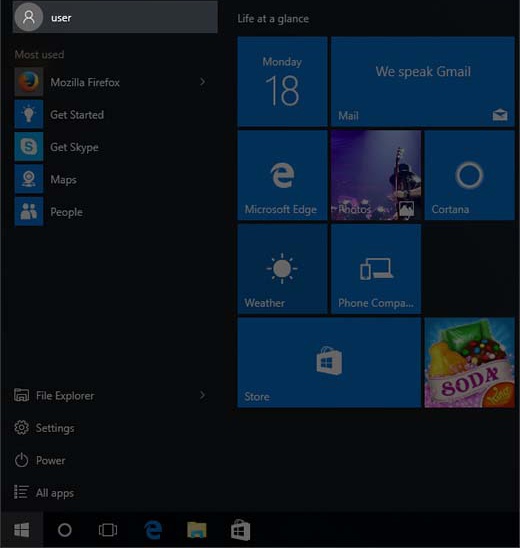
- Select theStart menu icon
.
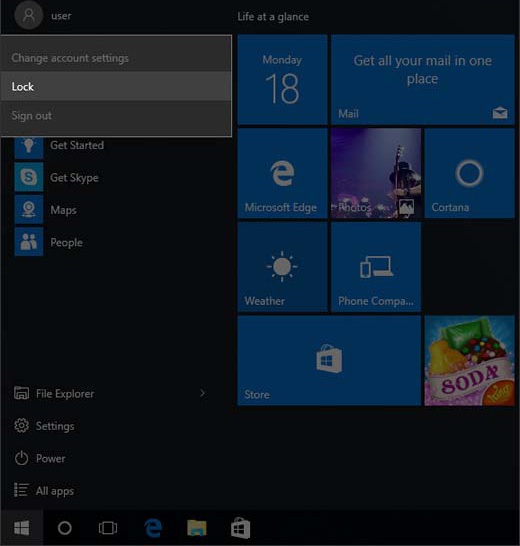
Utilize the touchscreen (if available) or mouse to select the on-screen options. - Select the user account name located in the upper-left of the Start menu.
- SelectLock.
If using a keyboard, you can also press
ctrl
+ alt
+ delete
then select Lock
.To unlock the device
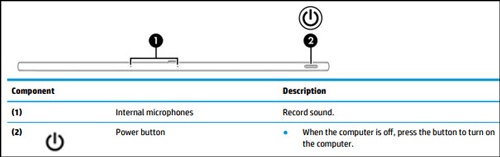
- If necessary, press thePower button( top right).
- If necessary, swipe up or double-click to dismiss the lock screen.
- If necessary, select the appropriate user account.
- Enter the password.