Verizon LTE Internet and Home Phone - Factory Reset
Here's how to factory / hard reset your Verizon LTE Internet and Home Phone.
The former name of this device is the Verizon 4G LTE Broadband Router with Voice.
- A reset to factory default deletes all changes made to the configuration and connected clients need to reconnect.
- When you reset your device, make sure that you are not speaking on the phone. You will be disconnected from your call when you reset your device.
External
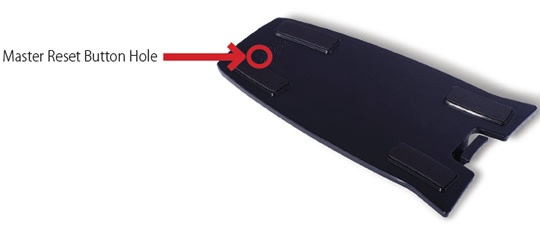
- The master reset button is in a small hole located on the bottom of the router. Insert one end of an unfolded paperclip into the master reset button hole then press the paperclip on the button until it displays Verizon Powering Off. This process takes about 5 to 6 seconds.
- If a backup was done prior to the reset, perform a restore if desired.
Internal
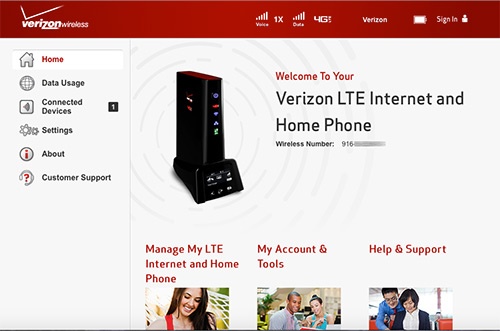
- Access the router configuration console then clickSettings(on the left).For assistance with accessing the router configuration page, refer to Accessing the Router Configuration.
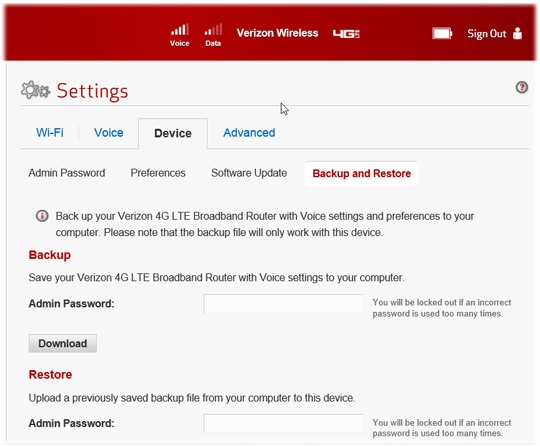
- From the Device tab, clickBackup and Restore.
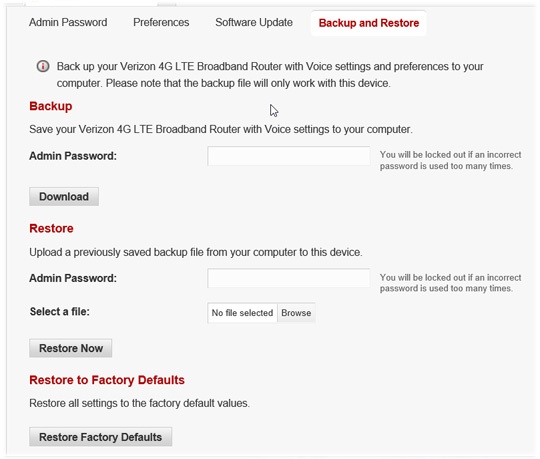
- Scroll down then clickRestore Factory Defaults.
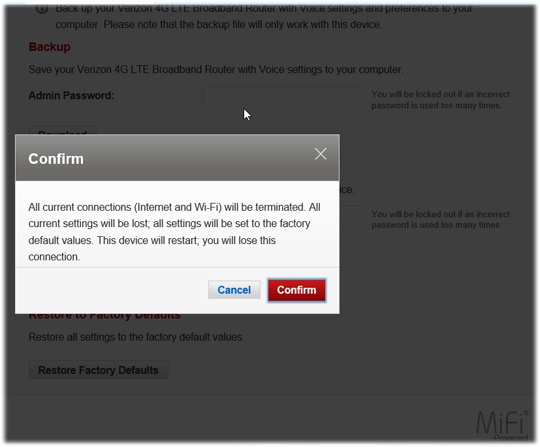
- ClickConfirmto start the restore process.The process could take up to two minutes.
- If a backup was done prior to the reset, perform a restore if desired.