One Talk Install Desktop App (Windows)
One Talk
Install Desktop App (Windows)Install the One Talk desktop app on your Windows® computer to easily make and receive voice / video calls or send / receive text messages on your computer using your One Talk line.
Before you begin
Minimum system requirements for One Talk desktop app for Windows:
- Windows 10 (32-bit or 64-bit) or later
- Quad-core x86 or equivalent processor
- 4 GB of memory or greater
- 500 MB free hard drive space
- HD camera and display (for video calling)
For more details, refer to the Get Started Guide.
Steps
- Visit the One Talk downloads page then clickDownload herefrom the One Talk for Windows section.
- Navigate to yourDownloads folderthen double-click the installation file to open it.
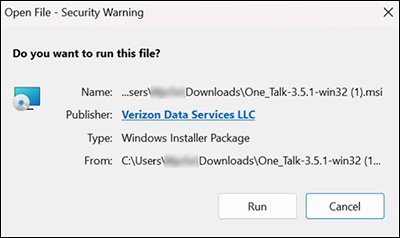
- From the Security Warning pop-up, clickRun.
- From the One Talk Setup Wizard screen, clickNext.
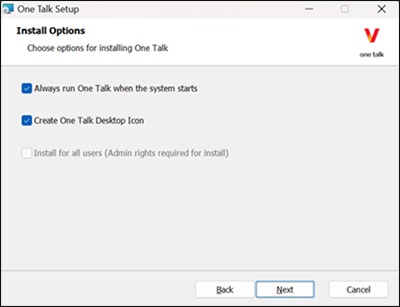
- From the Install Options screen, select the options that fit your One Talk usage then clickNext.
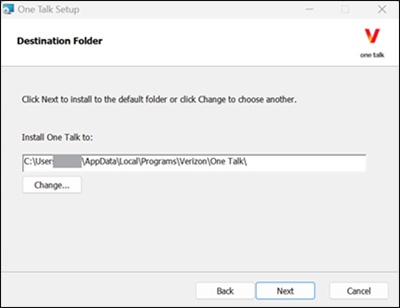
- From the Destination Folder screen, select the destination folder then clickNext.
- From the Ready to Install One Talk screen, clickInstall.
- Once installation is complete, clickFinish.
- Sign in to One Talk.