


Pair your device with one of our best plans
Choose the Unlimited option that’s right for you.




It's quick and easy to activate your device.
Whether your device has a
physical SIM or eSIM, you
can
activate with ease.
Keep your current
number or get
a brand-
new one. It’s your call.
Add another line or
transfer your
service
super-fast.
Activate your device
hassle-free.
All you
need is Wi-Fi.
1
Tell us which device you’re bringing and if
you want to bring your number along too.
2
Shop for a new mobile plan or add a line to an existing account. Either way, we have prices you’ll love.
3
Activate your eSIM or physical SIM card with Wi-Fi.
It’s hassle-free.
Let’s make sure your device is compatible.
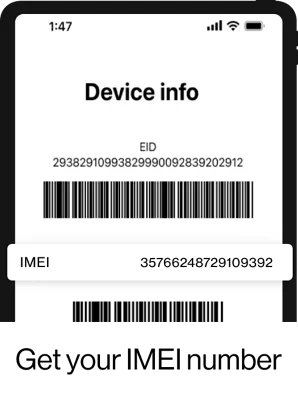
Enter your IMEI number to confirm your device’s compatibility with the Verizon network.
Invalid IMEI. Please try again.

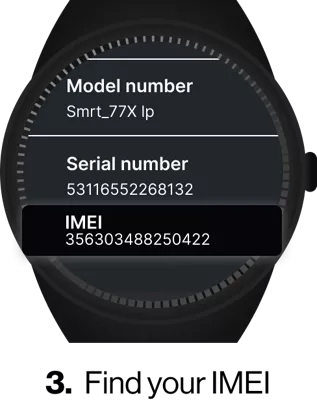
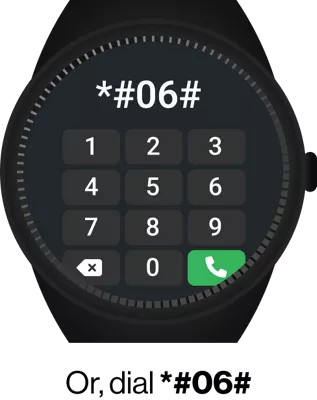
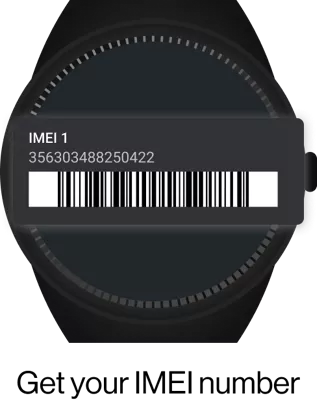
Your BYOD Questions Answered.
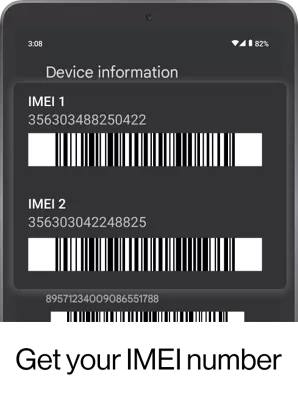
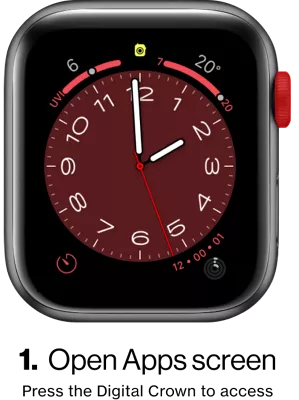
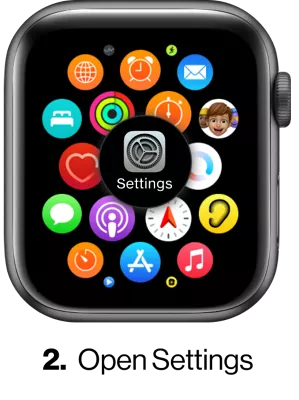
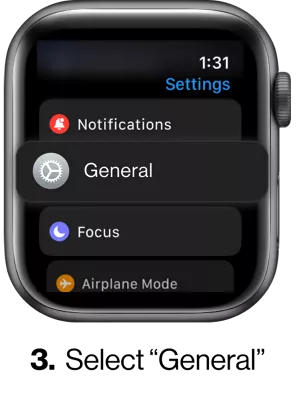
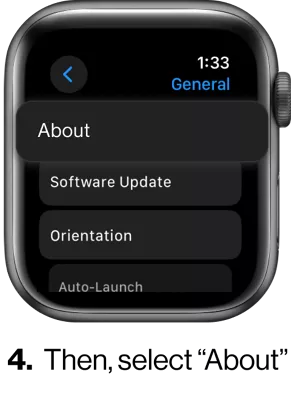
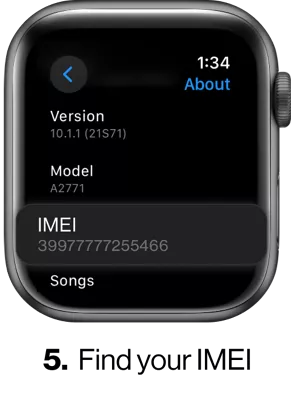
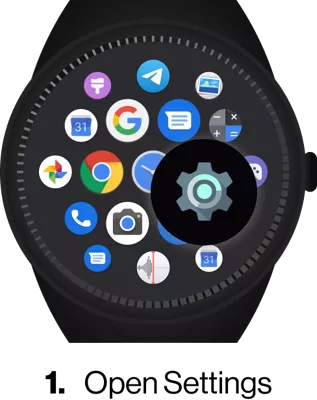
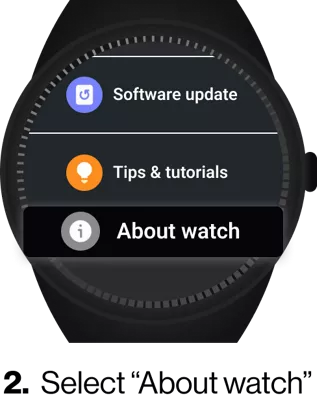
How do I find my device ID or IMEI?
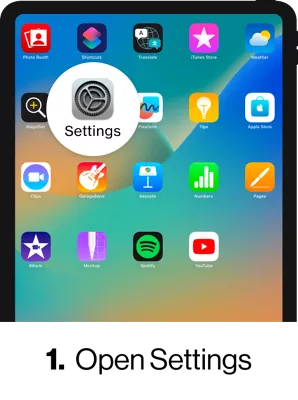
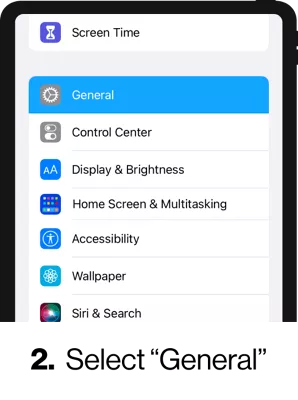
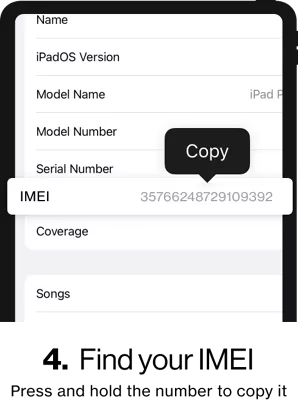
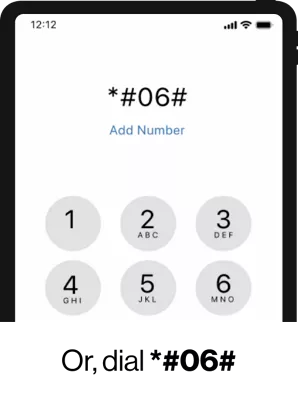
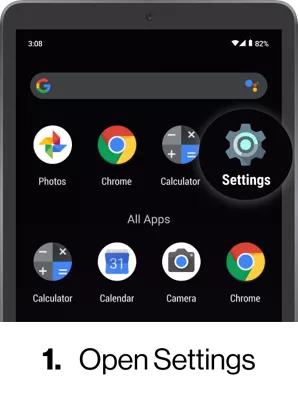
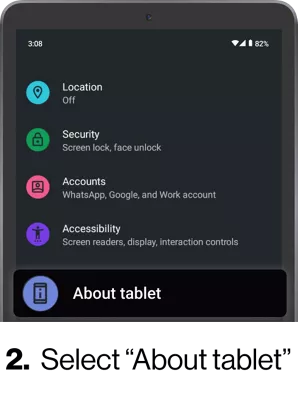
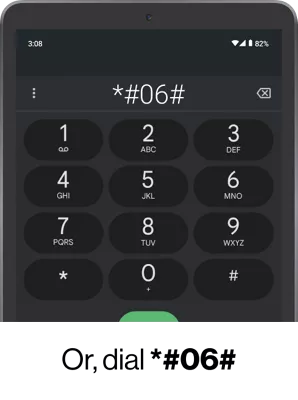
To bring your device to Verizon, you need to know the Device ID (IMEI, MEID and/or ESN). Here's how to find your device ID:
Non-Verizon customers, on your device go to:
- Android: Settings > About Phone
- iOS: Settings > General > About
- Basic phones: Tools & Settings > About Phone > Status
Verizon customers:
- Go to My Devices in My Verizon.
- Tap or click Manage Device next to the device you want to view. Your Device ID and IMEI are listed under the Device Information section.
Watch our Finding your device ID video for more options.
How do I bring my SIM or eSIM devices to Verizon?
To BYOD, your device's SIM card or eSIM must be compatible with the Verizon mobile network. Check BYOD compatibility.
- SIM cards: If the SIM card of the device you’re bringing isn’t compatible with the Verizon mobile network, you’ll need a new one. See How do I get a new or replacement SIM card?
- eSIM devices: If your device has a built-in eSIM you can BYOD with the My Verizon app. Learn how: How do I activate an eSIM device on a new Verizon line of service?
How do I bring devices to Verizon?
To BYOD to Verizon from a third party seller, retailer, manufacturer, or from another carrier (e.g., T-Mobile, AT&T, etc.) start at our BYOD page. There, you'll check your device's compatibility, set up your number, choose a plan and set up your payment method. Once that's done, use My Verizon to activate your device on our network.
Note: you must be the Account Owner or Account Manager to add a new line of service to an existing Verizon account. Learn about account access roles.
How do I add a new line of service for a device I’m bringing over to Verizon?
If you're the Account Owner or Account Manager, you can add a line in My Verizon. Learn more about account access roles.
Note: For prepaid accounts, refer to our Prepaid Family Account FAQs for instructions on adding a line.
Can I bring my own device from another phone company?
Yes, if your device is compatible with the Verizon mobile network, you can bring it over from another carrier (e.g., AT&T, T-Mobile, etc.). Check your device's compatibility.
Note: To check compatibility, you need the device ID. To find your device ID, on your device go to:
- Android: Settings > About Phone
- iOS: Settings > General > About
- Basic phones: Tools & Settings > About Phone > Status
Watch Finding your device ID video for more options.
Can I bring an eSIM or Dual SIM device from another carrier to Verizon?
Yes, when you bring an eSIM or dual SIM device from another carrier, keep in mind:
- Some carriers lock their devices. A locked device will only work on that carrier's network.
- If your carrier has locked your device, you need to contact them to have them unlock the device (if eligible).
- After the carrier has unlocked the device, it can take up to 24 hours before you can activate your device with Verizon.
Learn how to activate eSIM on a new Verizon line of service.
What devices can I bring to Verizon with BYOD?
You can bring smartphones, tablets, and smartwatches that you bought from Verizon, a third-party seller (e.g., Best Buy, Amazon, etc.), another phone carrier (e.g., AT&T, T-Mobile, etc.) or even a manufacturer. You can bring Apple®, Google, Samsung and other Android™ devices to Verizon.
To be eligible for BYOD to Verizon, your device must be unlocked and its hardware and software must be compatible with our mobile network. Check your device’s compatibility.
Can I keep my phone number when I bring my own device?
You may be able to bring your mobile number along when you bring your device to Verizon. Learn how at our Bring your number to Verizon FAQs.
Note: When you're bringing a phone number to Verizon, don't cancel your service with your other carrier until we've activated your new line.